Jul 7, 2011

22 comments

How to set up Video Chat in Facebook

Video chat facility on Facebook powered by Skype is now available to use. You can easily install and intergrate Facebook video chat option in your Facebook account.

To do so, follow these simple steps given below:
  • Go to this URL, and click on get started.
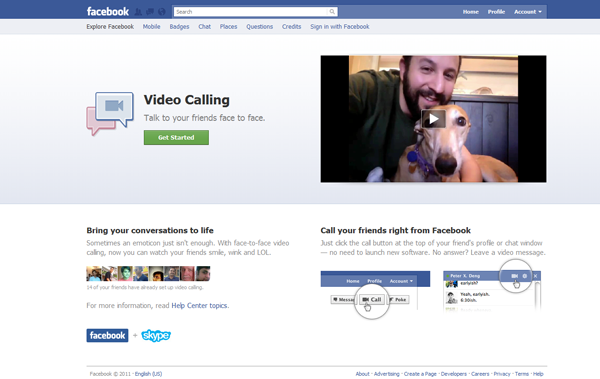

  • Suddenly your Chat interface will be changed and it will prompt your to set up few things.
  • Now click on Cam symbol appearing on chat window of  any of your friend.
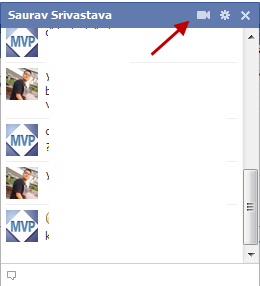

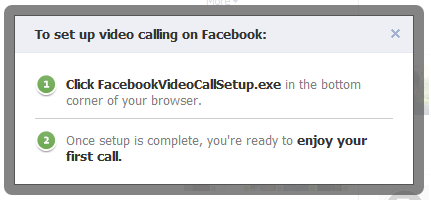
  • A notification will appear and guide you to download the facebookvideochat.exe plugin on your computer.

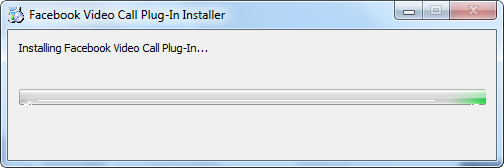
  • Now wait until the plugin will get installed.

  • And its all done now, click on the Cam symbol to make a video call.
  • Once your friend will answer the call, you will start seeing each other.

It’s all done! Now enjoy the video calling with your Facebook friends and family easily.

Screensaver - Display CPU, RAM, Disk activity, top 5 process, Battery life

 UsefulSaver displays CPU info, RAM info, disk activity, disk space, top 5 processes, battery life remaining, and how long the screensaver's been running.
This screensaver also features the date and time, customizable quotes, and ScreenWash. ScreenWash is a feature that help prevent LCD burn-in. After the screensaver has been on for a specified time (10 minutes by default), the screen goes black, then displays the date and time in 4 different colors for 1 minute each.

Then the normal screensaver resumes and the cycle continues. Lots of colors options available, as well as font selection and size. For computers with multiple screens, a photo viewer is available to make use of the space.

Click on an icon to begin your download:
Version 1.0: 32-bit 871 KB
Version 1.0: 64-bit 870 KB

Add Gpedit.msc to Windows 7 Home & Starter Editions

The Group Policy Editor (Gpedit.msc) is one of the most useful tools for administering policy on Windows 7. While Windows 7 Ultimate, Professional and Enterprise editions have gpedit.msc, Unfortunately certain editions of Windows 7 like Home Premium, Home Basic and Starter Editions do not include the Group Policy Editor.
One of thewindowsclub forum members davehc has compiled a tool Gpedit Installer that allows you to add gpedit.msc to Windows versions that do not have it, like Windows 7 Home Premium, Home Basic and Starter Editions.

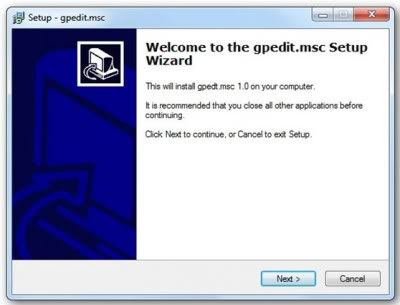
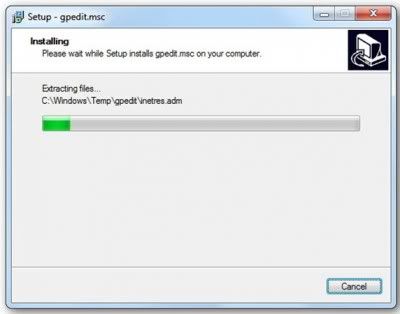
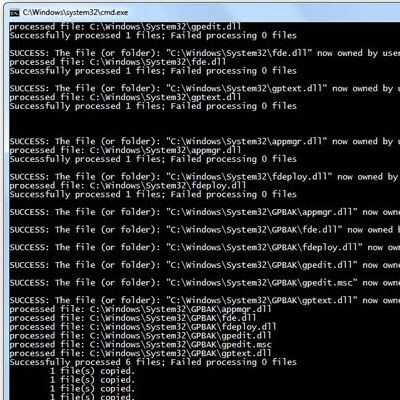
To do so, download the zip file, unzip its contents and run the installer as admin. This is how it will go:

At the end of the run, you will find that it will have add the Group Policy Editor to your Windows Home Premium, Home Basic or  Starter Edition.

Above Steps are enough for x32 bit systems.

Extra Step for x64 bit systems:
After Installing the above installer - Download the zip file below and extract the gpecit.msc file to C:\Windows\System32 Folder manually

So if you plan to try it out, do let us know how it goes. Best to always create a system restore point first before making any changes to your system.

Google blocks all CO.CC sites from its search results

Google has taken its fight against spammy sites to the next level. It has decided to stop indexing all co.cc websites.
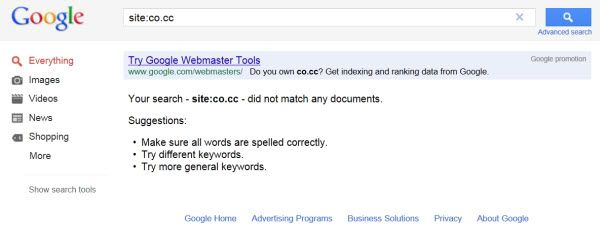
This move on the part of Google has affected over 11 million sites, who have been removed from Google’s index, and that is quite a large number. It appears that a significant number of websites using this domain were spammy or shady websites. But unfortunately those who were running genuine websites have also been affected by this blanket decision. Try searching for co.cc sites and see.
We absolutely do try to be granular, but I wanted to mention that if we see a very large fraction of sites on a specific freehost be spammy or low-quality, we do reserve the right to take action on the freehost as a whole.
The .cc top-level domain belongs to the Cocos Islands, a small Australian territory in the Indian Ocean. Co.cc is a Korean company based which offers free or almost free subdomains to anyone who is intersted in getting one, and it is this subdomain which has been affected.
So what next? Will  these spammy sites shut down their business? Or will they just get a new domain like .biz which is low-cost? Or perhaps simply move on to create a free account on wordpress.com or blogspot.com?

Jul 6, 2011

0 comments

Add Multiple Columns For the Start Menu in Windows

Today i am going to give you new windows tricks with the help of which you can add multiple columns for START Menu. For this windows trick you have to edit the registry setting of PC.  This windows trick makes Windows to use multiple Start Menu Columns instead of a single scrolling column, like Windows 9x had, Also if you are using Classic Mode in XP.So here the PC tricks for this windows tricks.
 
You have to follow the following steps very carefully and if you not get the step properly then saw the screen shot. I have made every screen shot for this PC tricks so that you can get it easy and perform this windows trick easily.

1.First of all for this windows tricks click on the START and select RUN option
2. Now open your RegEdit.For this you have to type “RegEdit” in the RUN.
3. Go to the key HKEY_LOCAL_MACHINE\ Software\ Microsoft as shown below in screen shot.

4.Then in Microsoft you have to choose the followin option Windows\ Current Version\
Explorer\ Advanced as shown below.

5.Now for this windows tricks you have to create a string value named as "StartMenuScrollPrograms" by right click on the right plane as display in the screen shot of this windows tricks.

6. Right click on the new string value and select modify as shown below.


7. Set the value to "FALSE" as shown below.

Download Photo Album From Facebook

Today I am going to give you new facbook trick on how to download your friend complete photo album from facebook in just a one minute.
Follow these Simple steps to perform the facebook trick to download the photo Album:

1.Before using this facebook trick you have to download the FacePAD Firefox extension directly from google it is absolutle freeware. You may get a message block from Firefox - right click and allow that.


2.Once you have installed - You will need to re-start Firefox to begin using the downloaded extension.

3.You will now see FacePAD added to your list of addon extensions in Firefox.

4.Head over to your friend's profile page and click on Photos. There you will find all the albums of your friends.

5.Simply right click on the photo album and you will now get a new option "Download Album with FacePAD". Go ahead and download the album.

6. Then you will be asked to location where the photos has to be saved on your hard disk


5. Then u will be asked to enter the prefix for the given photo album, enter the prefix and press ok.


These are the five step for this facebook trick. After using this facebook trick your photo album get saved in your harddisk.